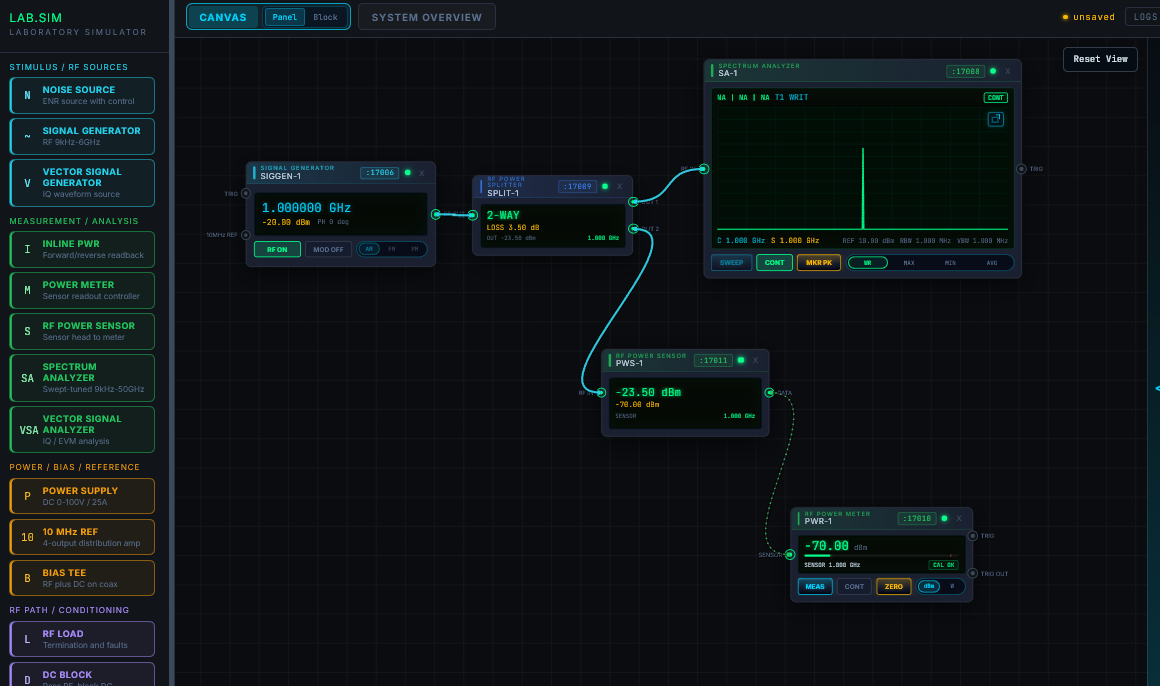
Actual simulator snippet
Build instrument benches directly on the canvas
Lay out sources, devices, analyzers, sensors, and meters on a grid while signal paths and live readouts stay visible.
Visual lab-work simulator
Test • Measure • Simulate • Share
Build and validate lab setups in a visual simulator. Place instruments and devices, connect signal, power, control, and measurement paths, and catch setup issues before physical equipment is touched.
Actual simulator snippet
Lay out sources, devices, analyzers, sensors, and meters on a grid while signal paths and live readouts stay visible.
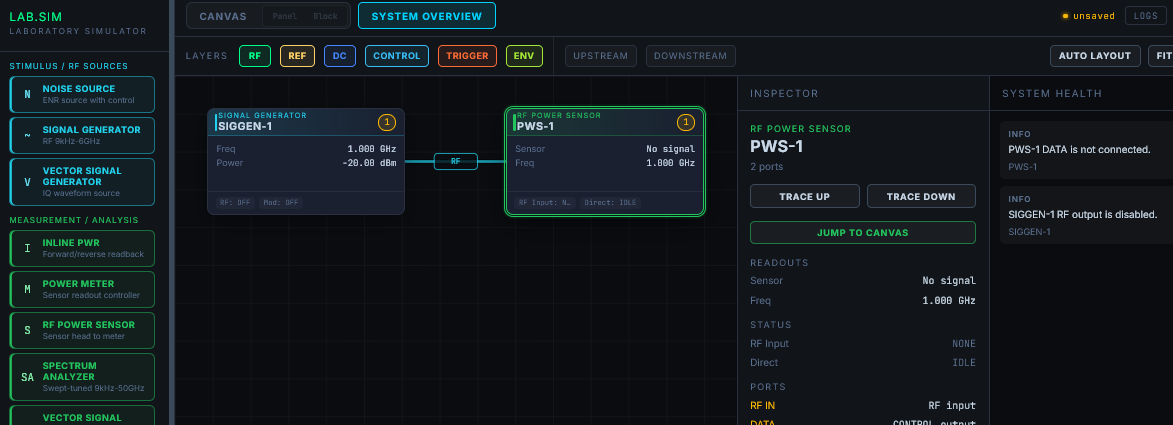
Actual simulator snippet
Use the system overview to inspect signal, reference, power, control, trigger, and environment layers with trace tools and health warnings in view.
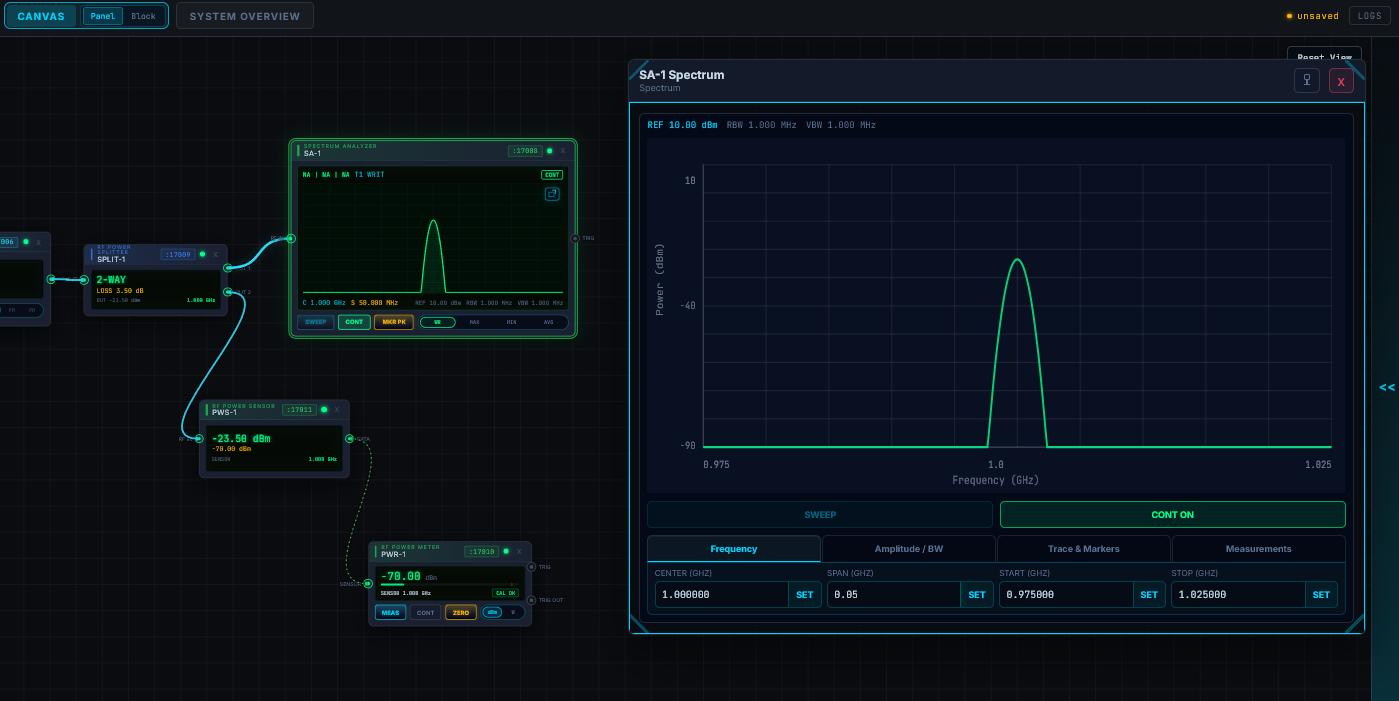
Actual simulator snippet
Open pop-up instrument controls for spectrum views, sweep settings, markers, SCPI history, and saved session context without leaving the bench.
Lab workflow
Use a concrete instrument bench, classroom exercise, research setup, or independent project to rehearse the workflow before moving to real equipment.
Place sources, devices under test, analyzers, sensors, meters, power supplies, and supporting equipment onto the canvas.
Connect signal, power, control, trigger, reference, and measurement ports while the simulator keeps path types visually distinct.
Review readouts, telemetry windows, SCPI-style logs, upstream/downstream traces, and topology warnings as the setup changes.
Saved sessions, controlled exports, and team collaboration are being built for later beta phases.
Product readiness
Lab Simulator is being opened in deliberate stages. The public site shows the product clearly without presenting unfinished controls as available services.
Available with an account
Product preview
Coming soon
Private distribution
Early-access install
Tell us what you test, measure, or teach. We are selecting users for the private early-access installer.